✦
Ready state
Start with a clear receiver-address area.
The extension opens with a visible address field, an empty preview, and two simple actions: preview the address first or fill the DHL form later.
A browser extension workflow that turns pasted receiver details into prepared DHL shipping fields, so repeated address entry stays reviewable before anything changes.
Receiver address details had to be copied from text into shipping form fields by hand.
The extension parses the pasted address and prepares matching receiver-field values.
The user can check the parsed result before using it in the DHL form.
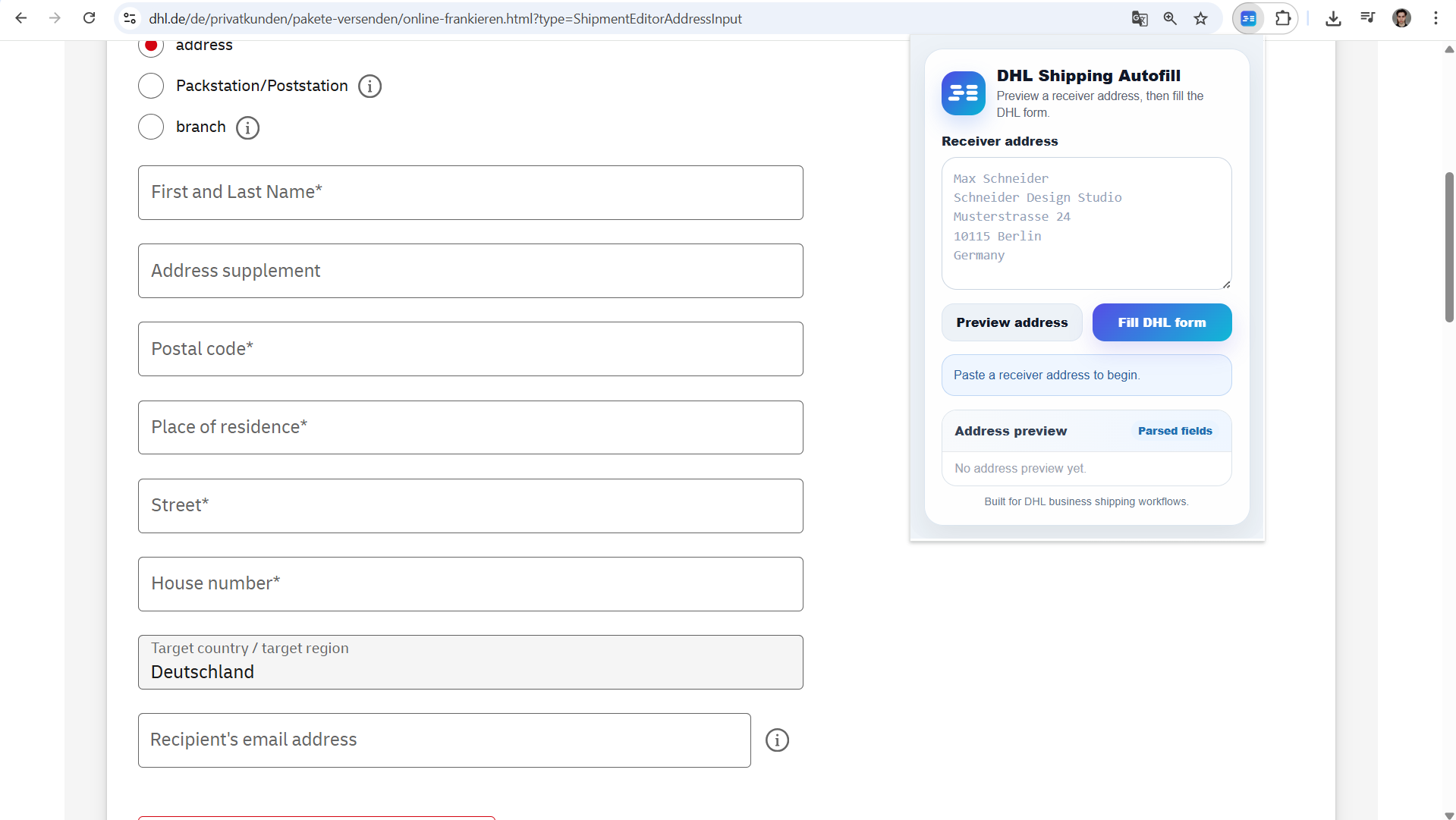
The extension opens with a visible address field, an empty preview, and two simple actions: preview the address first or fill the DHL form later.
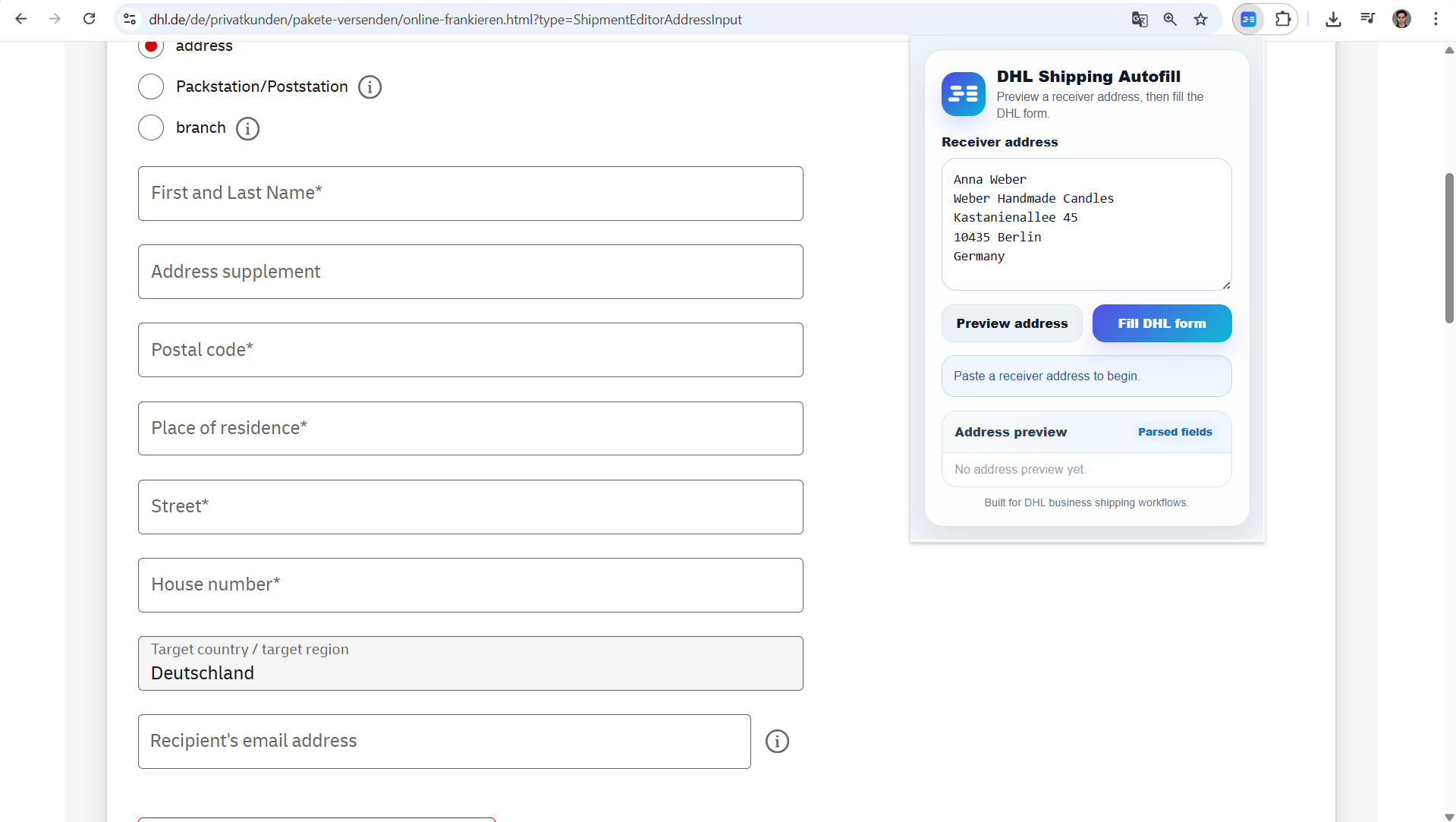
The receiver block can be placed into the extension before anything is inserted into the carrier page. This keeps the workflow controlled instead of immediately changing form fields.
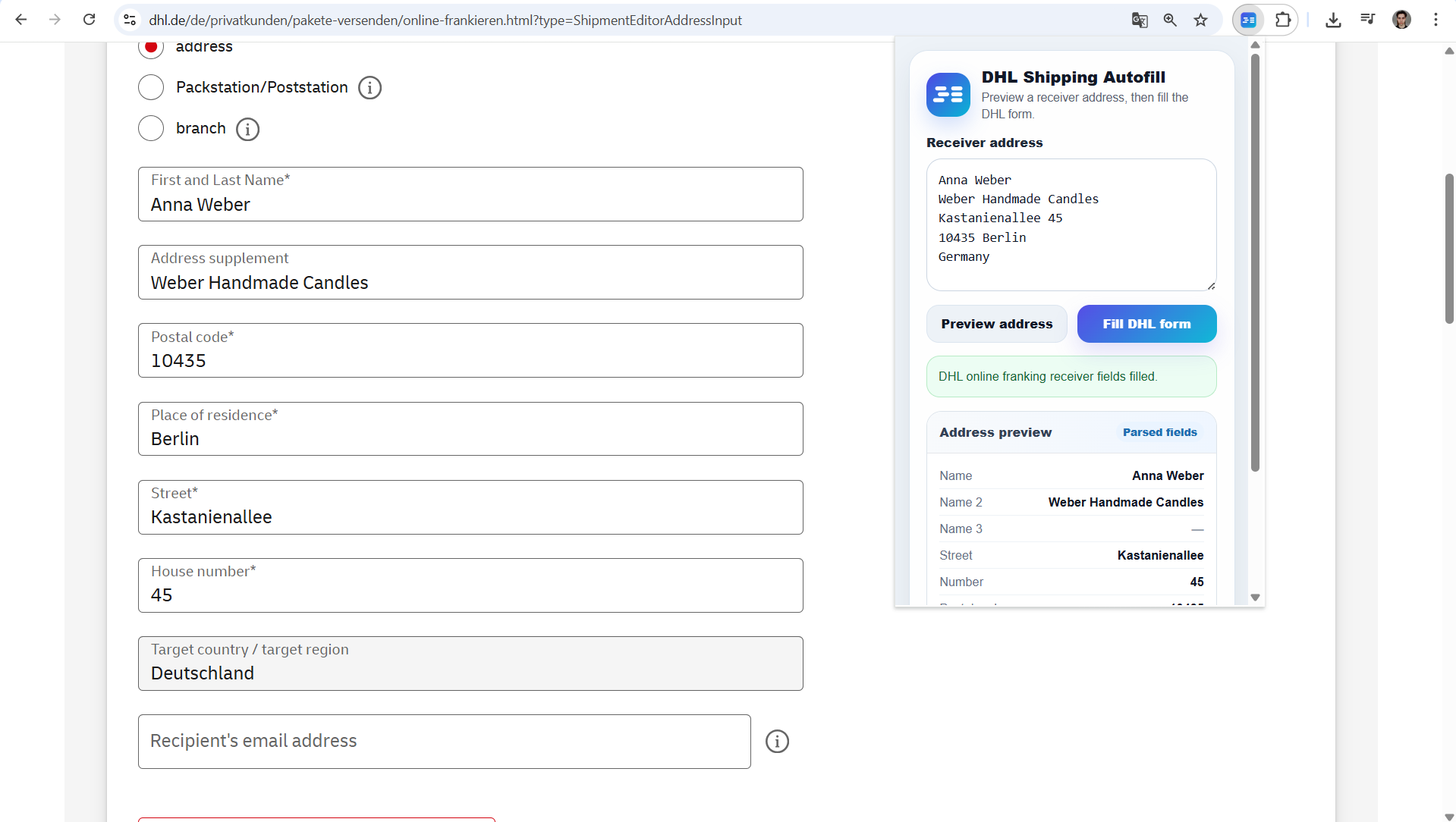
The address is separated into receiver name, company, street, number, postal code, city, and country. Optional fields stay visible when they are empty, so missing data is not hidden.
Review first. The parsed result stays visible before the final fill action, so the user can catch missing or unusual address data.
Safer than blind autofill. The tool prepares the data, but the workflow still leaves the final decision under human control.
Public sample data. Visible names, addresses, and form values are examples for demonstration.
Client details stay private. Account access, internal rules, and real shipment data are not included.
Independent workflow. DHL is referenced only as the carrier website this workflow was built around. This project is independent and not affiliated with DHL.